Skip to content

K1N is in the Log!

Please indulge me while I walk on air for a bit.  I just finished a contact with K1N, the Navassa DXpedition.

Navassa Island is on the air for the first time in 22 years and won’t be back on the air for at least another ten.  I was determined to bag this one, even with my very modest station:

Kenwood TS-590S
100W
Attic dipole

I figured that 10M would be my best bet.  And today little ol’ me did it.

I want to thank my fellow members of the Central Arizona DX Association. Without their help and encouragement it would not have happened.

I’m gonna nab K1N

The K1N Navassa expedition is going one and I’m bound and determined to put them in my logbook.

I’m just a little 100W ‘wires in the attic’ station so some scheming is in order.

I’m figuring that 10M RTTY later in the week when all the big boys already have their contact will be my best shot.

I’ve used FLDigi for PSK31 but not for RTTY so today I configured it for RTTY and made my first RTTY contact with a ham in Oregon.

Coming Up For Air

Yikes!  My business was so busy during 4th Quarter 2014 that I think I turned the radios on maybe once or twice.  Time to get back in the groove!

I still haven’t figured out a good way to support my VHF/UHF antenna since the wind took down my tree last fall. The replacement tree looks like it has died.  I have a couple of very nice diamond verticals but I need to camouflage them so the HOA nazis don’t see them.

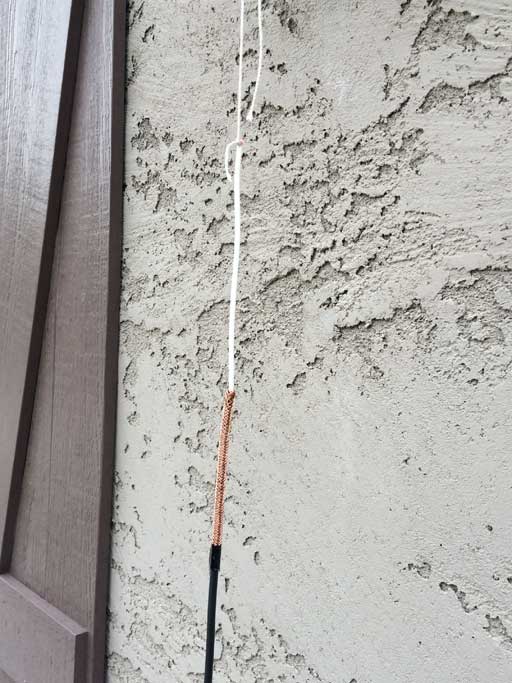
I’ve erected a 17M bazooka antenna under the eaves in the back for the purpose of working some South/Central American stations, and sadly I’ve not put it to use.

Time to get back on the air!

(I’m headed to the Central Arizona DX Association meeting tonight and I’m expecting that wlil provide additional motivation.)

Yikes! I Need New QSL Cards Too!

K7RPM_QSL_Back_800wAs I logged my contact with EI4KF and reached for a QSL card to send him, I realized that I have not ordered SQL cards with my new call!

I created my QSL card using photoshop. and have OvernightPrints.com print them.  I personally think that by using a custom SQL card I get a better chance of a reply.  It also gives me the chance to become more than just a callsign.

Telling LotW About My New Call

I need to tell LotW about my new call. Unfortunately the LotW FAQ is short and cryptic on this topic:

You can continue to access your old data records with your existing password. When you request a certificate for the new call, make sure to sign the request with the certificate for your previous call so that all your records will continue to be tied together.

Here are the steps (I’m on a Mac so the steps for your platform may be different):

  1. Go to http://www.arrl.org/tqsl-download and download TQSL.
  2. Start TQSL
  3. Select Callsign Certificate -> Request New Callsign Certificate
  4. Enter your new callsign and DXCC entity
  5. For QSO begindate I entered the date my new call was issued
  6. Click the Next button
  7. The next dialog box has fields for name and address.  For me they contained data from my previous certificate.
  8. Click the Next button
  9. Enter your email address if it is not already filled in
  10. Click the Next button
  11. Enter a password if desired.  Since I’m the only one who uses my computer I left it blank.
  12. Click the Next button
  13. Click the Signed radiobutton and select your old certificate.
  14. Click the FInish button

TQSL will then display:

Attempting to upload Certificate Request

Certificate Request uploaded with result “Started processing your Additional Certificate Request.

For call sign: K7RPM

For DXCC Entity: UNITED STATES OF AMERICA (291)

For QSOs not before: 2014-08-19 00:00:00

For QSOs not after: <none>

Your additional certificate request is accepted and awaiting further processing.

You will receive the certificate after it has beencreated.

Your certificate request processing is completed.”!

As expected, the new certificate arrived via email the next day:

  1. Drag the certificate attachment out of the email into a file folder.
  2. Start TQSL
  3. Click on the Callsign Certificates tab
  4. Click on Load a callsign Certificate
  5. The file/open dialog box will appear. Select the certificate file you saved in Step 1.

That’s it.  You can also request ARRL to change your login username from your old call to your new one.

New Callsign

WB7OBG Becomes K7RPM

I’ve started thinking about chasing some DX and decided that my old call sign (WB7OBG) was a mouthful and does not seem to come through well on the air. I decided to look for something memorable and catchy.

I’ve always wanted to be ‘Kilowatt Seven’ so that settled the first part. A quick check at RadioQTH.net reveals there were no 1×2 calls available, and I don’t like 2×2 or 2×1 calls.  So that left 1×3 calls.  Fortunately there are lots of them available.

I was looking for something that would roll off the tongue easily. When I saw that K7RPM was available, I knew ‘Radio Papa MIke’ was it.

I applied for it online July 31 and it was granted August 20.

Now I have to run around and take care of all the housecleaning:

  • Change callsign in radios and computer programs (done)
  • LotW (done)
  • Inform my friends
  • New website domain name (done)
  • QSL cards
  • New ham radio club badge


My Antenna Support is Down

treedownFor the past three years, the mesquite tree in my front yard has been serving admirable as a support for my VHF/UHF antenna.  It has not only supported the Diamond X50 vertical at a decent height, It has camouflaged it extremely well (I painted the antenna the same color as the tree trunk).

We had a huge windstorm last night and it blew the tree over. Tomorrow (Monday) I’ll call a tree removal service and then have a new tree put in.  It will be a few years before it can support an antenna however.

I live in an HOA with antenna restrictions (meaning ‘no antennas’) so I’ll have to figure out a solution.

Back To Top