 This morning I was scanning 15 meters and I happened upon an OM5 (Slovakia) station. And the pileup hadn’t started yet! I pounced. And missed. I tried again. Several times. Then the pileup started and it was time to move on. My 100 watts of power and dipole in the attic were just not enough. How many times has this happened to you too?
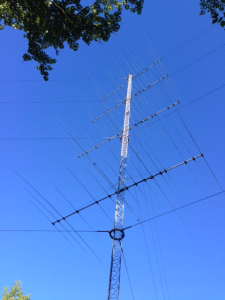
RemoteRadio.com has the answer. Imagine sitting at your desk at home with an Elecraft K3/0 and remote access to a station nestled in the Catskills at 2100ASL in New York with:
- 6m – 5 element Yagi
- 10m – 5/5/5 Stacks + 7 Element Mono bander @ 100′
- 15m – 5/5/5 Stacks
- 20m – 4/4 Stacks + 5 Element Mono bander @ 100′
- 40m – 3 ele 40M yagi
- 80m – Full size 4 Square
- 160m – 3 Sloper EU/SA/JA – 4 Square being built
- WARC – Dipole @ 100′
And remote access to a station in Southern Dutchess County NY with:
- 6m – M2 6M7 @ 77′
- 10m – 4 Full Size Elements 2X Arrays 2/2/4 WRTC Antenna @ 73′
- 15m – 2 Full Size Elements 2X Arrays 2/2/4 WRTC Antenna @ 73′
- 20m – 2 Full Size Elements 2X Arrays 2/2/4 WRTC Antenna @ 73′
- 40m – Cushcraft 40-2CD 2 Element Yagi @ 85′
- 80m – 4 Square in a swamp
- 160m – INV L also in a swamp
And… Well, I could go on. Right now they have six of these world-class big-gun stations, all of which can be at your disposal.
I spent some time with Lee Imber, WW2DX yesterday while he demoed the setup to me. They provide a web interface that allows you to select stations, antennas, beam headings, etc. You control the station’s Elecraft K3 via the K3/0 on your desk.
It’s expensive but not outrageously so. For example, the Silver plan is $3999/year. For that you get a K3/0 and everything necessary to connect it via the internet to each station’s K3. You get 900 minutes of access the first month and 300 minutes/month after that. Additional minutes are 17-50 cents per minute depending upon station.
They have a monthly payment plan available, in which you to pay half up front then the balance over the remaining 11 months. For the silver plan that would be $2K the first month and then about $180/month for the remaining 11 months. I don’t know how they price years 2-n on the monthly payment plan.
Expensive? Maybe. Or maybe not depending upon how you look at it. $180/month for on-demand use of six (and more coming) world-class big-gun stations to operate from sounds pretty reasonable to me.
Disclaimer: I have no connection with these guys whatsoever. I just thing that what they’ve put together is brilliant.

 I’ve gotten to where I distrust the solar-terrestrial data as a predictor of band conditions.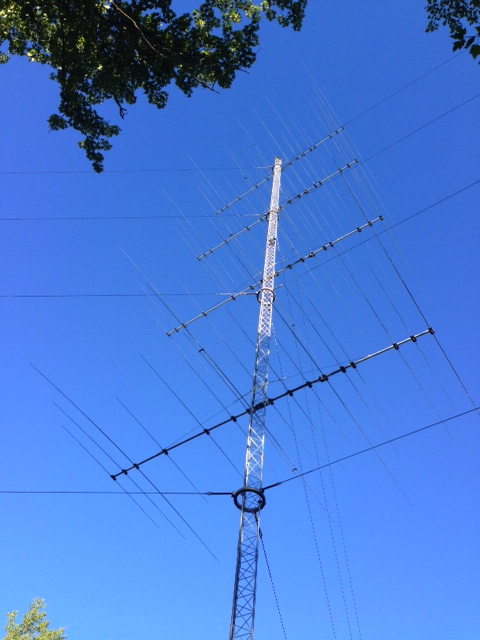
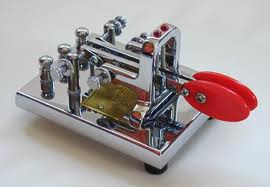

 I bought a new set of paddles today. I’ve been spending way to much time working and way too little time having fun. I figure this new Vibroplex Iambic Deluxe will draw me away from the work a little more. New toys have a way of doing that.